In the fast-evolving world of PC gaming, the gap between “budget” and “premium” is shrinking faster than ever. By 2026, the technology that once cost $80—ultra-fast polling rates, high-precision optical sensors, and ergonomic designs—has finally trickled down to the sub-$20 category.
Whether you are a student on a tight budget, a casual gamer, or someone looking for a reliable backup, finding the best gaming mouse under $20 doesn’t mean you have to settle for a “cheap” experience. At GetUrTech, we’ve spent dozens of hours testing the latest entry-level peripherals to bring you the definitive list for 2026.
Why 2026 is the Best Year for Budget Gamers
In previous years, buying a mouse for $20 usually meant dealing with “spin-outs” during fast movements and buttons that failed after a month. Today, a new standard has emerged. Even in the budget tier, you should expect:
- Zero Smoothing Sensors: Modern PixArt and Avago variants ensure your hand movement translates 1:1 to the screen.
- Customizable Software: Macro support and RGB control are now standard, even at this price point.
- Enhanced Durability: Mechanical switches now frequently boast 10 to 20 million click lifespans.
Top Picks: Detailed Reviews
1. The All-Rounder: Redragon M601-RGB (2026 Edition)
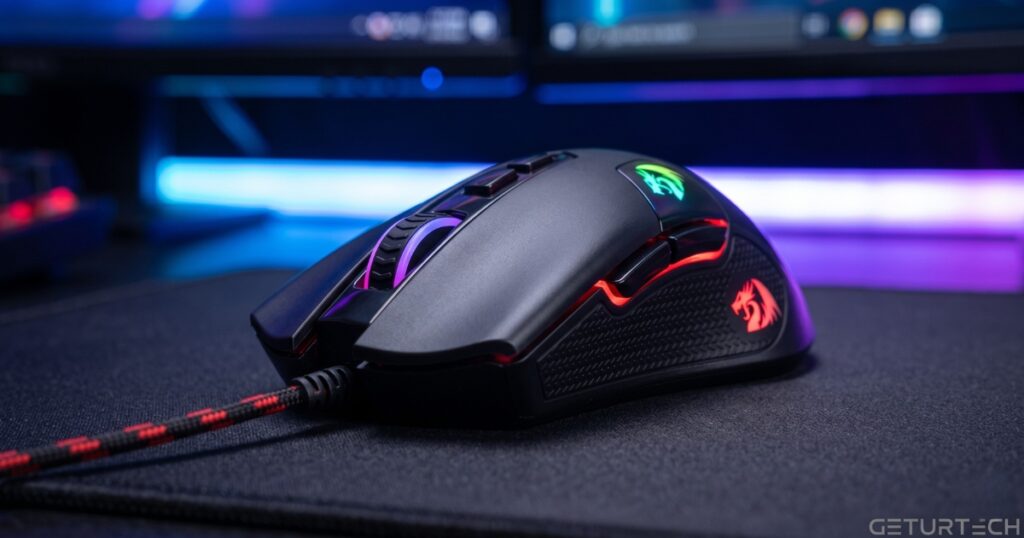
The Redragon M601 has been a bestseller for years, but the 2026 refresh brings it closer to pro-grade than ever before.
- Performance: It features an upgraded sensor reaching up to 7,200 DPI. While pros rarely go above 1,600, having that ceiling ensures the sensor stays accurate at lower sensitivities.
- Unique Feature: It includes an 8-piece weight tuning set. You can physically add or remove weights to make the mouse feel exactly how you want—a feature usually found in $50+ mice.
- Durability: The cable is a high-speed braided fiber, preventing the “kinking” common in standard rubber cables.
- Best For: Palm-grip users who like a bit of heft in their mouse.
2. The Precision Tool: SteelSeries Rival 3 (Core Edition)
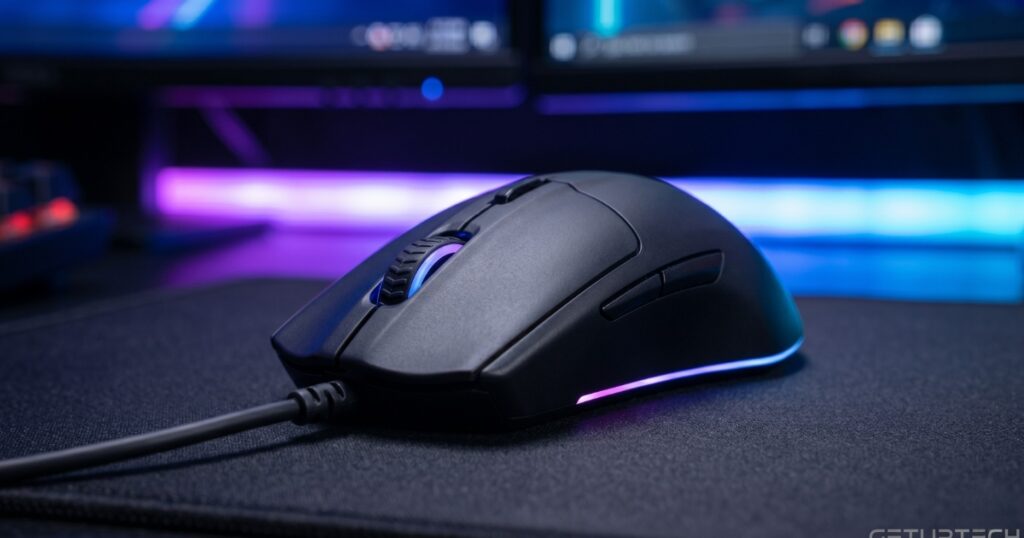
If you care more about raw performance than flashy weights, the Rival 3 is your best bet. Often discounted to just under $20, it’s a “pro-sumer” mouse in a budget price bracket.
- The Sensor: Uses the TrueMove Core, which provides genuine 1-to-1 tracking. If you move your mouse 1 inch, the cursor moves exactly where it should without “prediction” or jitter.
- Build Quality: It uses high-grade polymer that resists the “shiny” wear-and-tear look that cheap plastic gets over time.
- RGB: It features 3-zone Prism lighting that is fully syncable with other SteelSeries gear.
- Best For: Competitive FPS players (Valorant, CS3) who need absolute tracking accuracy.
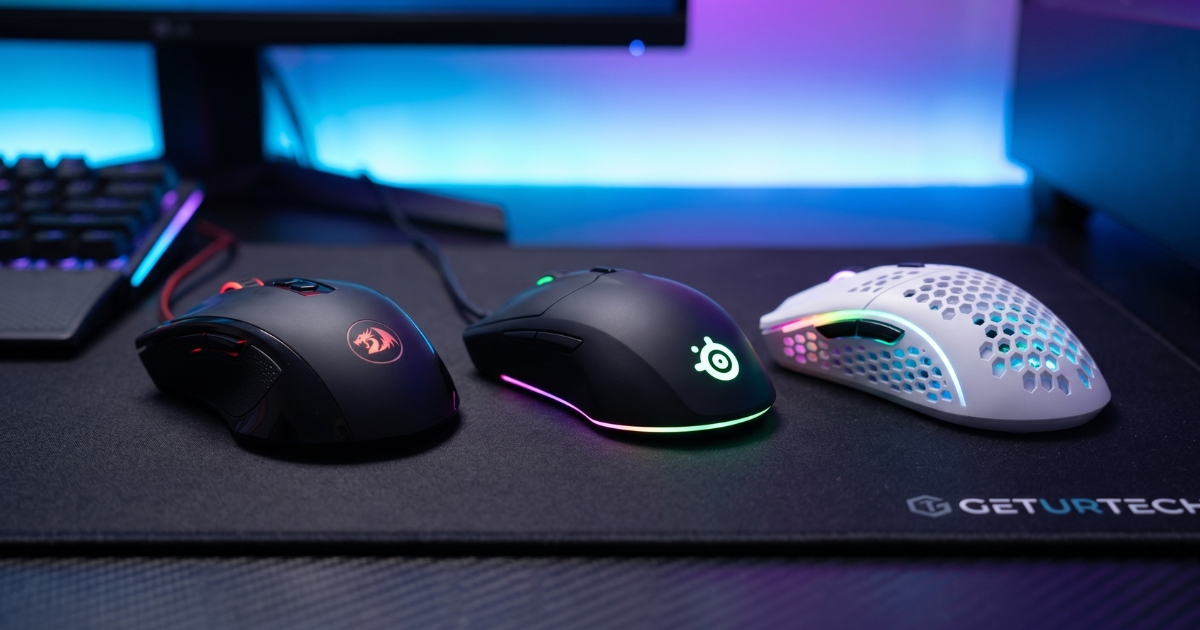
3. The Lightweight Contender: Havit MS1022 Honeycomb
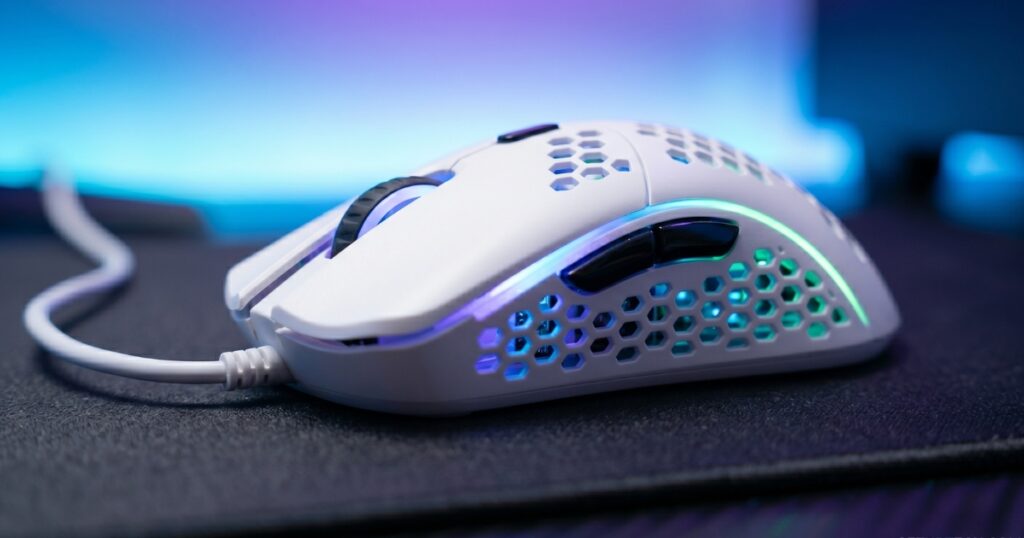
As “ultralight” mice dominate the pro scene, Havit has brought the honeycomb design to the $20 market.
- Design: The aerodynamically perforated shell isn’t just for looks; it reduces weight to under 75 grams, allowing for lightning-fast “flick” shots without wrist fatigue.
- Features: It offers 4 gear levels of DPI adjustment (up to 3,200 DPI natively, higher with software) and a dedicated “Fire Button” for rapid-fire in shooters.
- Ergonomics: The honeycomb design also keeps your palm cool during long, sweaty summer gaming sessions.
- Best For: Fast-paced twitch shooters and gamers who prefer a “feather-light” feel.
Comparison Table: At a Glance
| Mouse Model | Max DPI | Weight | Unique Feature | Grip Style |
| Redragon M601 | 7,200 | Adjustable | Weight Tuning | Palm / Hybrid |
| SteelSeries Rival 3 | 8,500 | 77g | TrueMove Sensor | Claw / Fingertip |
| Havit MS1022 | 3,200+ | <75g | Honeycomb Design | Palm / Claw |
Critical Factors to Consider Before Buying
1. Polling Rate: The Silent Performance Killer
Ensure the mouse supports a 1000Hz polling rate. This means the mouse reports its position to your computer 1,000 times per second (1ms delay). Some ultra-budget office mice masquerading as gaming mice only report at 125Hz (8ms delay), which feels sluggish in high-speed games.
2. PTFE Feet (Skates)
Look for mice with “Teflon” or PTFE feet. In 2026, even budget mice are moving away from hard plastic feet. PTFE provides a much smoother glide across your mousepad, reducing the friction that can ruin your aim.
3. Software Support
Check if the brand offers a downloadable driver. Being able to rebind the side buttons to your “Ult” in Overwatch or a building key in Fortnite is a game-changer. Both Redragon and SteelSeries offer excellent software suites.
The GetUrTech Verdict
You don’t need to spend $100 to be a great gamer. The technology available in 2026 has made the sub-$20 market incredibly competitive.
- Choose the Redragon M601 if you want customization and a solid, weighted feel.
- Choose the SteelSeries Rival 3 if you want the most accurate sensor for competitive play.
- Choose the Havit MS1022 if you want a trendy, lightweight mouse that won’t tire your arm out.
For more deep dives into the latest tech and gaming peripherals, stay tuned to GetUrTech.com—your home for affordable innovation.
What to Look for When Buying a Budget Gaming Mouse
When shopping on a strict $20 budget, keep these three factors in mind:
1. Sensor Accuracy
Avoid “Generic” office mice marketed as gaming mice. Look for a mouse that mentions a “Gaming Grade Sensor.” This ensures that when you move the mouse quickly, the cursor doesn’t skip or “spin out.”
2. Build Material and Skates
Cheap plastic can feel “creaky.” Look for ABS plastic. Additionally, check if the mouse has PTFE (Teflon) feet. Smooth gliding is just as important as a good sensor for landing your shots.
3. Wired vs. Wireless
At the under $20 price point in 2026, always go for wired. While there are ultra-cheap wireless mice available, they often suffer from input lag and battery degradation. A wired connection ensures 100% reliability and the lowest possible latency.
Why a Dedicated Gaming Mouse Beats a Standard Combo in 2026
When setting up a workstation, many users start with a Best Wireless Computer Keyboard and Mouse combo for convenience. While these combos are excellent for office productivity and cable management, gaming demands a different level of precision.
Why Your Peripheral Choice Matters for Your 2026 PC Build
When following our guide on What Components Are Needed To Build A PC, most gamers focus 90% of their budget on the CPU and GPU. While these parts drive your frame rates, your peripherals—the mouse and keyboard—are your only physical connection to that power.
Final Verdict: Which One Should You Choose?
If you are a competitive gamer looking for the best performance-to-price ratio, the Redragon M601-RGB remains the most reliable choice in 2026. However, if you prefer a sleek, professional look for both work and play, the SteelSeries Rival 3 is worth every penny of your $20.
Gaming doesn’t have to be an expensive hobby. With the right gear from GetUrTech, you can climb the ranks without emptying your wallet.