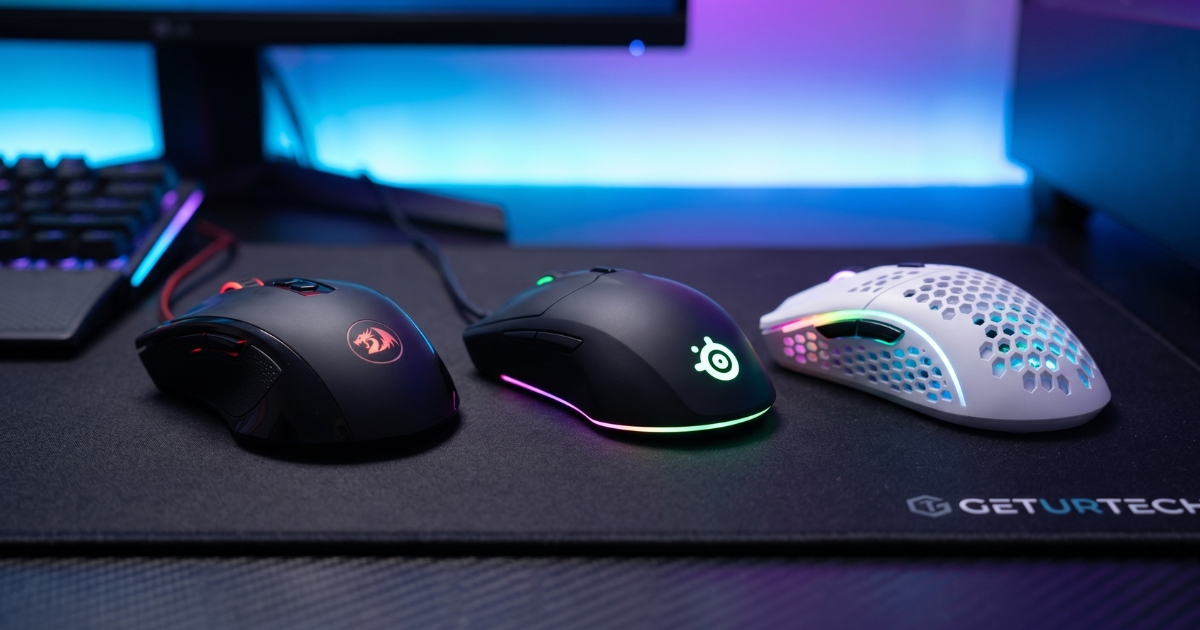
A quality Bluetooth mouse can significantly improve your laptop experience. Whether you’re a professional juggling multiple devices, a student in need of a dependable everyday mouse, or a gamer seeking the ultimate wireless setup, choosing the right mouse boosts both productivity and comfort.
With so many laptops available and an even wider variety of wireless mice, how do you choose the right one? Should you prioritize an ergonomic design, look for programmable buttons, or focus on days of battery life?
In this guide, we’ll explore the best Bluetooth mouse for laptops, comparing Logitech MX Master, Logitech Signature, Logitech Pebble Mouse, and other modern mice to help you make the perfect choice.
Wireless vs. Wired Mice: Which One to Choose?
Advantages of Wireless Mice
- Convenience & Portability – No tangled wires, making them perfect for travel.
- Better Desk Setup – Minimalist and clutter-free workspace
- Multi-Device Compatibility – Many Bluetooth mice work with multiple operating systems and can switch between devices.
Why Wired Mice Still Have a Place
- Lower Latency – Gaming laptops often benefit from wired mice due to a faster response time.
- No Carging Needed – No worries about single charge or replacement batteries.
- Cheaper Options Available – A cheaper mouse can still offer great performance without requiring wireless technology.
For most laptop users, a Bluetooth wireless mouse is the better choice, offering flexibility and wireless connectivity without the hassle of wires.
Key Features to Look for in a Bluetooth Mouse
When choosing the best Bluetooth mouse for a laptop, consider the following key features:
Ergonomic Shapes & Comfortable Grip
A mouse should feel comfortable in your hand. Contoured shape, neutral position, and ergonomic shapes help prevent strain, especially during long work sessions.
Smooth Scrolling & Customizable Options
Smooth tracking improves cursor precision.
Customizable options allow programming extra buttons for quick shortcuts.
Electromagnetic scroll wheel or infinite scroll wheel provides effortless navigation through browser tabs and documents.
Battery Life & Rechargeable Options
Some mice use a single AA battery, while others have rechargeable mouse functionality.
High-end models, like Logitech MX Master, can last days between charges, making them reliable for long-term use.
Best Overall Bluetooth Mouse: Logitech MX Master
The Logitech MX Master is widely considered the best Bluetooth wireless mouse for professionals and power users.
Why It’s a Huge Time Saver
- Ergonomic shape fits comfortably in the hand.
- Customizable extra buttons improve workflow efficiency.
- Handy thumb-scroll wheel enables horizontal scrolling.
- Multi-device support lets you switch between computers seamlessly.
- Rechargeable battery with days of battery life.
If you want a comfortable option with the best customizable options and performance, Logitech MX Master is an excellent choice.
Best Budget Bluetooth Mouse: Logitech Signature M550
Not everyone needs a high-end fancier option like the Logitech MX Master. For those looking for a cheaper mouse that still delivers great performance, the Logitech Signature M550 is a great pick.
Why It Stands Out
- Comfortable shape with contoured shape for better grip.
- Silent mouse clicks for quiet work environments.
- Single AA battery lasts months without needing a charge.
- Compatible with budget Windows laptops and other operating systems.
If you’re looking for a budget-friendly yet comfortable option, the Logitech Signature M550 is worth considering.
Best Bluetooth Mouse forGaming: Logitech G Series
Gaming demands a high polling rate, smooth tracking, and gaming features that ordinary office mice can’t provide. The Logitech G Series wireless gaming mice stand out due to their:
- Ultra-fast GHz wireless connectivity for minimal latency.
- Customizable DPI settings to match different gaming styles.
- Extra buttons for additional in-game commands.
- Rechargeable battery that lasts through long gaming sessions.
If you’re using a gaming laptop, a Logitech G Series mouse is a must-have for a huge time saver in gaming.
Best Compact Bluetooth Mouse: Logitech Pebble Mouse
For users who prioritize portability, the Logitech Pebble Mouse is an excellent choice. This mini mouse is perfect for those on the go, offering a compact option without sacrificing performance.
Why It’s Great for Travel
- Ultra-lightweight & slim design fits easily in laptop bags.
- Silent mouse clicks for noise-free operation.
- Bluetooth wireless mouse with 18-month battery life on a single AA battery.
- Ambidextrous option suitable for both left- and right-handed users.
Whether you’re working in a café or traveling, the Logitech Pebble Mouse is a comfortable option that provides smooth tracking and wireless connectivity in a compact form.
Best Ergonomic Mouse: Logitech MX Vertical
If you suffer from wrist strain or work long hours, a vertical mouse like the Logitech MX Vertical is the best choice.
Why It’s a Comfortable Option
- The ergonomic shape reduces wrist strain by promoting a neutral position.
- The contoured shape fits naturally in the hand.
- The rechargeable battery lasts for days between charges.
- Multi-device support for seamless switching between devices.
the Logitech MX Vertical is designed to improve comfort, making it one of the best ergonomic wireless options available.
Trackball Mice: A Unique Alternative
For those looking to reduce hand movement, trackball mice provide a distinctive option. Unlike conventional mice, trackball mice utilize a fixed ball for navigation.
Best Trackball Mice Options
- Logitech MX Ergo – Features an adjustable tilt for better ergonomics.
- Logitech M575 Wireless Trackball Mouse – Affordable and reliable.
With smooth tracking and customizable options, trackball mice are a great choice for users who prefer precision without moving their wrist too much.
Left-Handed & Ambidextrous Mice
Finding a left-handed version of a mouse can be challenging, but some brands offer ambidextrous mice to accommodate both grip types.
Best Mice for Left-Handed Users
- Logitech M317 Wireless Mouse – A comfortable ambidextrous option.
- Logitech G Pro Wireless – High-performance gaming mouse for lefties.
- Razer Viper – Offers a left-handed version with customizable buttons.
If you’re a left-handed user, choosing a mouse comfortable for your hand is essential for efficiency.
Multi-Device Connectivity: A Must-Have Feature
Many modern mice can connect to multiple devices, allowing users to switch between a gaming rig, budget Windows laptops, and MacBooks seamlessly.
Top Mice with Multi-Device Support
- Logitech MX Master – Supports up to three devices at once.
- Logitech Signature M550 – Great for office and home use.
- Microsoft Modern Mobile Mouse – Budget-friendly alternative.
A multi-device Bluetooth wireless mouse is a huge time saver for those working across multiple screens.
Battery Life: What to Expect?
The days of battery life a mouse offers is a key consideration. Some use a single AA battery, while others come with a rechargeable mouse option.
Battery Life Comparison
| Mouse Model | Battery Type | Expected Battery Life |
| Logitech MX Master | Rechargeable | 70 days between charges |
| Logitech Pebble Mouse | Single AA Battery | 18 months |
| Logitech G Series | Rechargeable | 60 hours (with RGB off) |
If you prefer a wireless Bluetooth mouse with days of battery life, choosing a model with long battery efficiency is important.
Extra Buttons & Customization Options
Why Extra Buttons Matter
- Programmable buttons allow quick access to shortcuts.
- Handy thumb-scroll wheel enables horizontal scrolling.
- Application switcher button improves multitasking efficiency.
- Emoji Button Function for fun and convenience.
Top Mice for Productivity & Office Use
For professionals, choosing a Bluetooth wireless mouse with productivity features is essential.
Best Mice for Office Work
- Logitech MX Master – Best for high-level productivity.
- Logitech Signature M550 – Affordable and efficient.
- Logitech POP Wireless Mouse – Stylish and functional.
A great wireless keyboard and mouse combo can further enhance office efficiency, offering smooth scrolling, customizable options, and ergonomic shapes.
Best Bluetooth Mouse for General Use
1. Logitech MX Anywhere 3
Comfortable shape with compact design
Smooth scrolling and customizable options
Works on multiple operating systems
2. Microsoft Bluetooth Mouse
Affordable and lightweight
Silent mouse with quiet clicks
Ideal for budget Windows laptops
3. Razer Atheris
Wireless connectivity with high DPI
Great for gaming and office work
Long days of battery life
Conclusion
Choosing the best Bluetooth mouse for a laptop depends on your needs:
For professionals: The Logitech MX Master is the ultimate choice.
For budget users: The Logitech Signature M550 offers affordability and performance.
For gamers: The Logitech G Series provides gaming features and a high polling rate.
For portability: The Logitech Pebble Mouse is compact and travel-friendly.
For ergonomics: The Logitech MX Vertical ensures wrist comfort.
No matter your preferences, a Bluetooth wireless mouse with the right features—such as smooth scrolling, programmable buttons, and a comfortable shape—can make a significant difference in productivity and ease of use.
FAQs
1. What is the best Bluetooth mouse for Mac and Windows laptops?
The Logitech MX Master is one of the best Bluetooth wireless mice, offering seamless compatibility with multiple operating systems.
2. Is a Bluetooth mouse better than a USB wireless mouse?
A Bluetooth wireless mouse doesn’t require a USB Type unifying receiver, making it more convenient for laptops with limited ports.
3. How long does a Bluetooth mouse battery last?
Battery life varies: some last days between charges, while others, like the Logitech Pebble Mouse, can go up to 18 months on a single AA battery.
4. What is the best ergonomic Bluetooth mouse?
The Logitech MX Vertical offers the most ergonomic shape for reducing wrist strain and ensuring a neutral position.
5. What are the best customizable options in a Bluetooth mouse?
A mouse with extra buttons, a clickable scroll wheel, and a handy thumb-scroll wheel (like the Logitech MX Master) provides the best customizable options for productivity.