Building a gaming or productivity PC isn’t just about performance anymore looks matter too.RGB case fans are now an important part of modern PC setups because they provide colorful lighting effects while keeping your system cool. As we head into 2026, RGB technology is getting smarter, quieter, more energy-efficient, and easier to customize.Today’s RGB fans and ARGB Fans especially don’t just light up,they adjust their speed automatically, sync with your motherboard, boost cooling performance and look fantastic.Selecting the best RGB cooling option can be challenging because so many brands now offer them. To assist you in selecting the ideal choice for your setup, this article breaks down the top RGB case fans for 2026, highlighting performance, airflow, build quality, Fan Blade design, noise levels, lighting features, Cooling Method, and overall value. It also helps ensure proper compatibility with components such as your motherboard, GPU, and power supply.
Why RGB Case Fans Matter in 2026
RGB case fans do more than deliver those eye-catching light shows. They make sure airflow works right to keep the CPU, Graphics card, VRMs and even your power supply from getting too hot. Good airflow also helps cool components like Fan hubs, CPU coolers, and Liquid cooling radiators. When the system runs cool, it avoids slowing from heat issues. You end up with higher frame rates, quicker rendering times, and gameplay that feels smooth all around. Plus, RGB fans let you take charge through special software or the motherboard’s built-in sync features. It is easy to tweak the light patterns, dial in the brightness, set fan speeds, and link them up with stuff like RAM, CPU coolers, or even GPUs. PCs keep getting more personalized these days. RGB fans turn into a solid choice for putting your personal touch on the build.
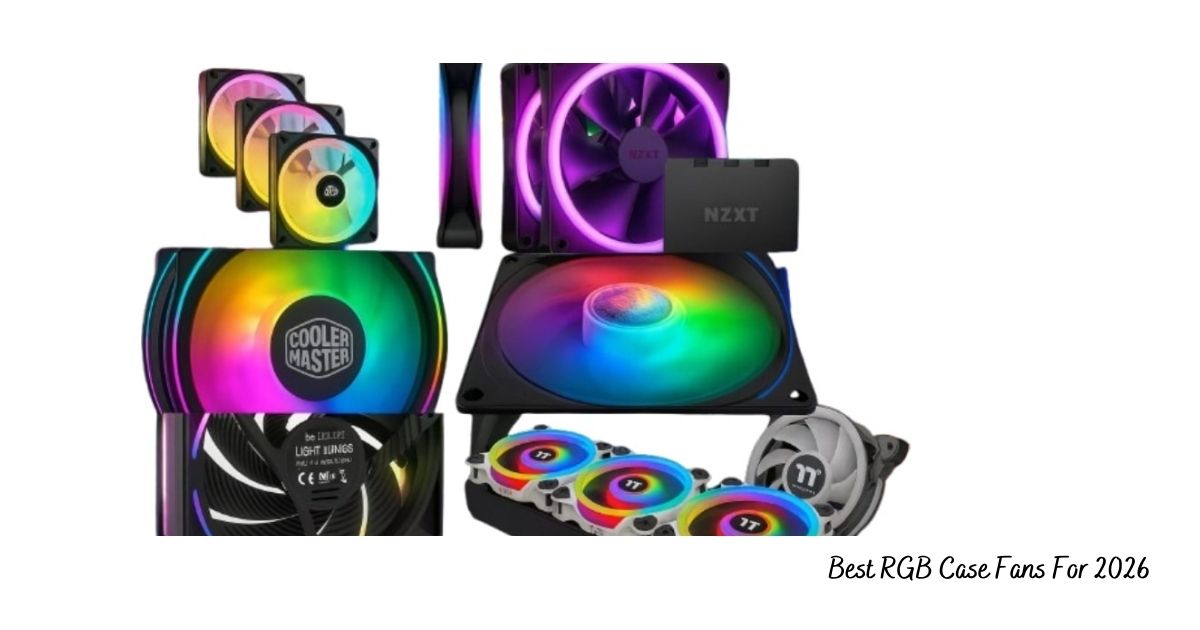
The best RGB case fans for 2026 :- Top Picks for Performance, Lighting, and Cooling
RGB case fans have become an integral part of a custom PC build and aesthetic driven PC builds. In 2026, RGB case fans are more than just about showing off eye-candy colors in the PC enclosure – they are also about cooling performance, quietness and reliability. Whether you use Liquid cooling, a standard air setup with CPU coolers, or large radiators, the right fan can transform your system. Here’s a look at the best fans of 2026.
1. Corsair iCUE Link QX120 RGB
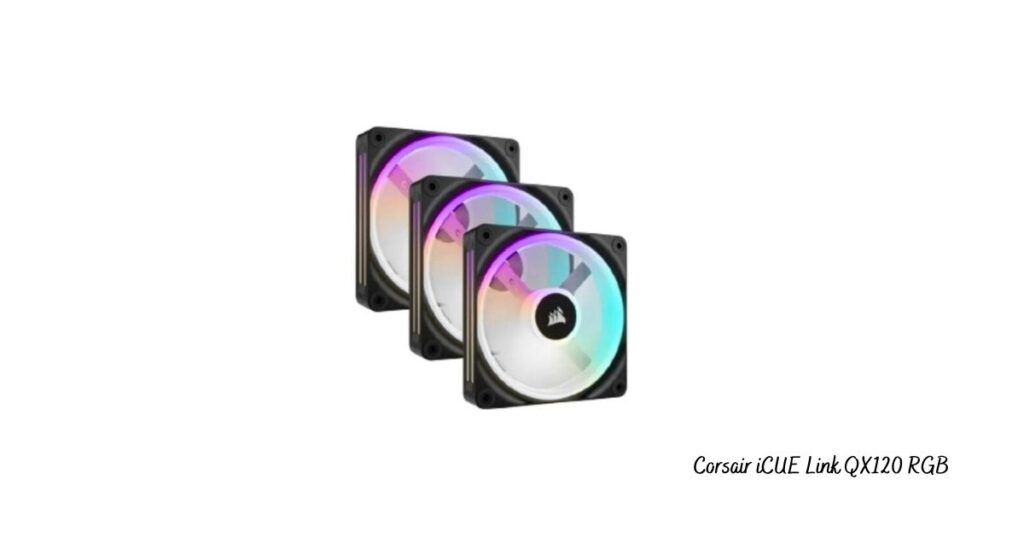
Top Pick RGB Case Fan
Corsair has been leading the pack in high-end PC cooling for years, and the Corsair iCUE Link QX120 RGB fan proves why they’re still on top. Thanks to its modern design and iCUE Link, this fan is one of the best-performing options you can get in 2026.
Key Features:
- Magnetic Dome Bearing: Built to last and stay quiet, it’s a reliable solution for keeping your system cool.
- Smart Fan Control Based on Temperature: Configure and optimize your fan using thermal analysis which completes the use of optimized mute and bursts out breeze.
- 68 RGB LEDs per Fan: Get brilliant, vivid multi zoned RGB lighting with dynamic effects on each fan thanks to 8x addressable LEDs each.
- Corsair iCUE Ecosystem Integration: Control your lighting and compatible Corsair peripherals from the same software dashboard, to create synchronised light shows across all of your systems.
Pros:
- Amazing lighting effects that come with the choice of dynamic and customizable RGB.
- Very quiet at those low-to-mid RPMs and during heavy workloads too.
- Made with high-quality materials to last longer.
Cons:
- The QX120 RGB is expensive and thus, a premium option for users that are willing to pay for the best quality performance.
If you love having full control over your RGB lighting and fan settings, this fan is a perfect match. And if you’re putting together a high-end PC where you want both strong performance and a great-looking setup, the Corsair iCUE Link QX120 is one of the best choices you can make.
2. NZXT F120 RGB Duo
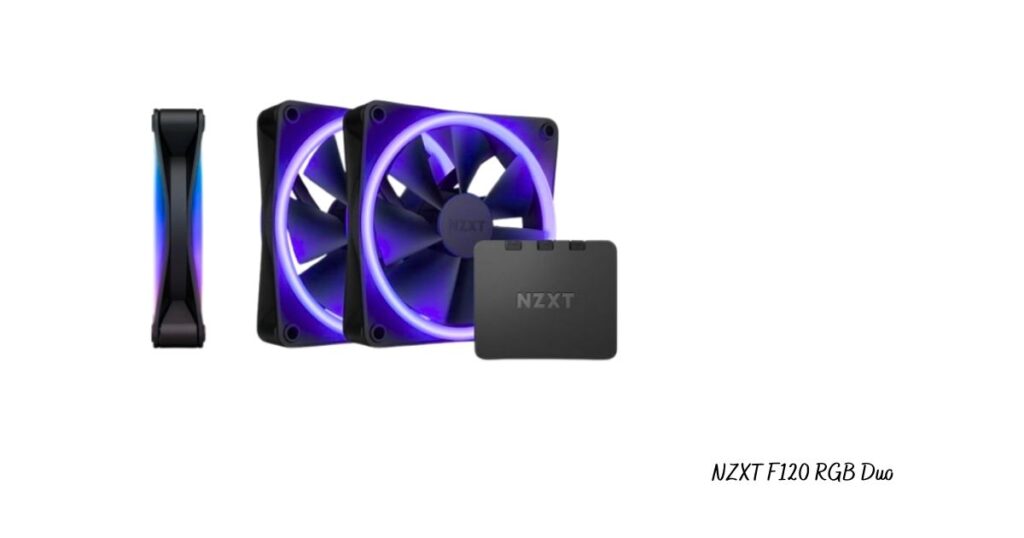
Best Balance of Cost and Performance
If you want a fan that nails the sweet spot—good looks, solid performance, and a fair price—the NZXT F120 RGB Duo is tough to beat. It’s got a clean, modern vibe with its soft RGB lighting, and it just works. No fuss.
Key Features:
- Dual RGB Rings: Each fan has two RGB rings, so you get this gentle, even glow that looks awesome whether your build is dark or light.
- PWM Speed Control: You can dial in the exact speed you want, so your PC stays cool without sounding like a jet engine.
- Airflow-Optimized Blades: The fan blades move a lot of air but don’t crank up the noise. Your system stays cool and quiet, plain and simple.
Pros:
- Gorgeous, understated RGB that won’t clash with any build style.
- Great software support along with NZXT’s CAM that allows you to combine and control system lighting and fan speed easily.
- Good value for the performance and looks.
Cons:
- The lighting is nice, but it’s not as visually ‘loud’ as higher-end RGB fans like Corsair do.
Both in looks and performance, the NZXT F120 RGB Duo delivers a high-quality look and feel at a more reasonable cost. It’s fantastic value, too — it doesn’t skimp on the fundamentals you’d expect from cooling and lighting control.
3. Cooler Master MasterFan MF140 Halo
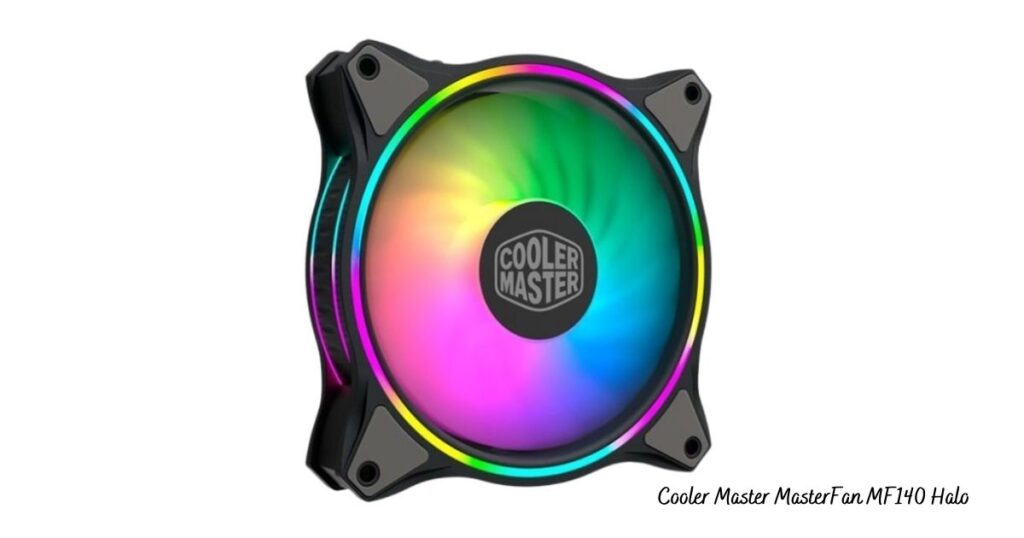
Best 140mm RGB Fan
If you’re in the market for a bigger fan with excellent airflow at modest noise levels, then the Cooler Master MasterFan MF140 Halo is definitely one to consider.Its 140 mm size is perfect for builds that need a compact layout or benefit from extra cooling as an added exhaust fan.
Key Features:
- 2 RGB Halos: Double RGB halos on the front and back to add a stylish look to any battlestation.
- PWM Control : The fan’s speed can be adjusted between 650 and 2,000 RPM as needed, which will help you to strike a balance between cooling performance and noise level.
- Low rpm, high performance: With efficient airflow at low rpms it can still operate quietly while providing top-notch cooling for your PC.
Pros:
- The noise level is lower for larger fans when compared with smaller fans at the same airflow level.
- All the major RGB headers are universally compatible which makes the system integration easy for a number of different systems.
- The price charged for the performance delivered is very reasonable.
Cons:
- The construction quality is good but it is hard to say that it is on the same level as that of the premium models
The MF140 Halo is the right product for users who do not want to compromise on airflow and noise, especially if they have large cases or cooling systems with high demand. It is a perfect choice for the ones that look for a quiet working environment and at the same time do not want to give up performance.
4. Cooler Master SickleFlow 140 V2 ARGB
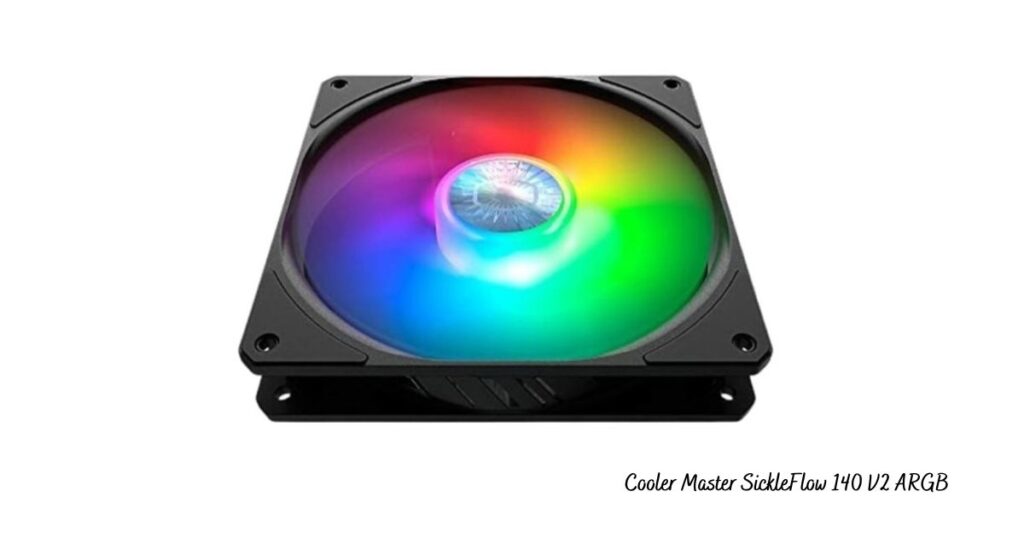
Best Budget 140mm RGB Fan
Cooler Master SickleFlow 140 V2 ARGB is a good fan if you are on a budget and still want performance and RGB effects. The 140mm fan is perfect for those PC builders who want to save money but do not want to lose the cooling power.
Key Features:
- Strong Airflow Performance: The SickleFlow was designed to provide superb airflow while maintaining low noise levels, thus making it a perfect budget fan.
- ARGB Compatibility:The dazzling light that can change according to the user’s desire is the main feature of this fan that makes it most attractive.The user can choose any effect suitable for him and even synchronize this with motherboard’s RGB software through the fan’s Addressable RGB (ARGB) support.
Pros:
- The price is very low, making it the best choice for budget constructions.
- The airflow performance is very good at a competitive price level.
- ARGB is quite compatible, enabling lights to be changed according to the users’ moods.
Cons:
- The construction is not as solid as the expensive options and this might impact the fan’s longevity in the long run.
To the users who want an RGB fan that is cheap but has a good airflow, the SickleFlow 140 V2 ARGB is the right choice since it distinguishes itself as a great product with a very low price.
5. be quiet! Light Wings 140mm High-Speed
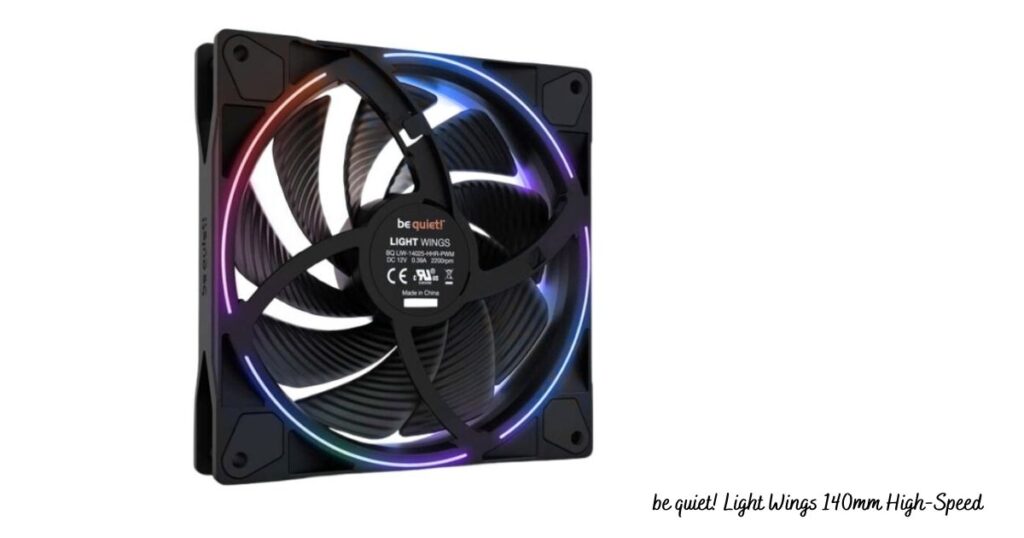
Best for High-Performance Gaming Builds
If you are to build a gaming PC with high performance or a system for video editing or 3D rendering, cooling should be a priority. Be quiet! Light Wings 140mm High-Speed fan has been specifically developed to give a constant high static pressure, which suits situations where maximum airflow is needed through such components as radiators or dust filters that have a lot of resistance.
Key Features:
- High Static Pressure Design: Absolute for radiators or cases with significant airflow obstruction, thereby guaranteeing a smooth flow of air.
- Extremely Quiet Motor: The fan works silently even at high-speed performance, which is an advantage for users who have the need for the combination of performance and silence.
- Premium ARGB Ring: The fan is equipped with the top-notch ARGB ring that sells the most energy-efficient and customizable lighting.
Pros:
- Great for PCs that need a lot of cooling power.
- Super quiet when your PC isn’t working hard, which is nice.
- Looks good, feels well-made, and has a cool ARGB ring.
Cons:
- Costs more than some others, but you get what you pay for in performance and quality.
Basically, if you’re building a top-tier gaming rig or workstation, the Light Wings 140mm High Speed is a solid choice. It cools well, has nice extras, and is super quiet, as you’d expect from be quiet!
6. Thermalright TL-C14C-S ARGB
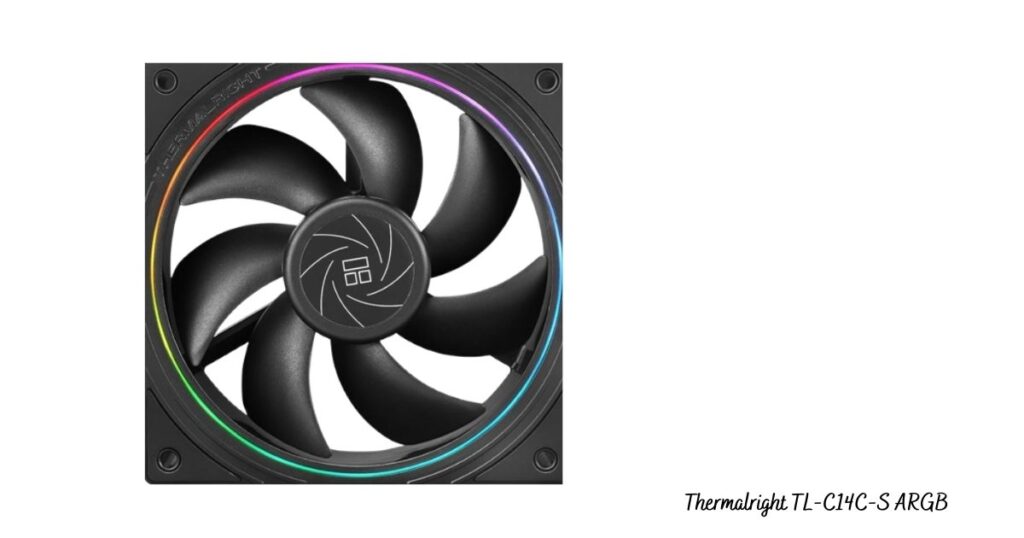
Best Value Fan for Money
Thermalright is getting noticed for making great cooling stuff that doesn’t cost too much. Their TL-C14C-S ARGB fan gives you awesome performance and looks cool, but it won’t empty your wallet. That makes it one of the best deals if you want an RGB fan.
Key Features:
- Simple Look: It’s got a nice, clean design that isn’t too showy, so it’s great if you want something low-key.
- Works Great: This fan pushes a lot of air to keep things cool, and it costs less than the big brands.
Pros:
- Good bang for your buck; you get decent performance without spending a lot.
- Simple, clean look that goes with just about any setup.
Cons:
- The RGB lighting isn’t as fancy as the stuff you see on more expensive models.
The Thermalright TL-C14C-S ARGB is a solid pick if you want strong cooling with smooth ARGB lighting. It delivers good airflow, stays fairly quiet, and offers great value for the price.
7. AsiaHorse Amici 140mm ARGB
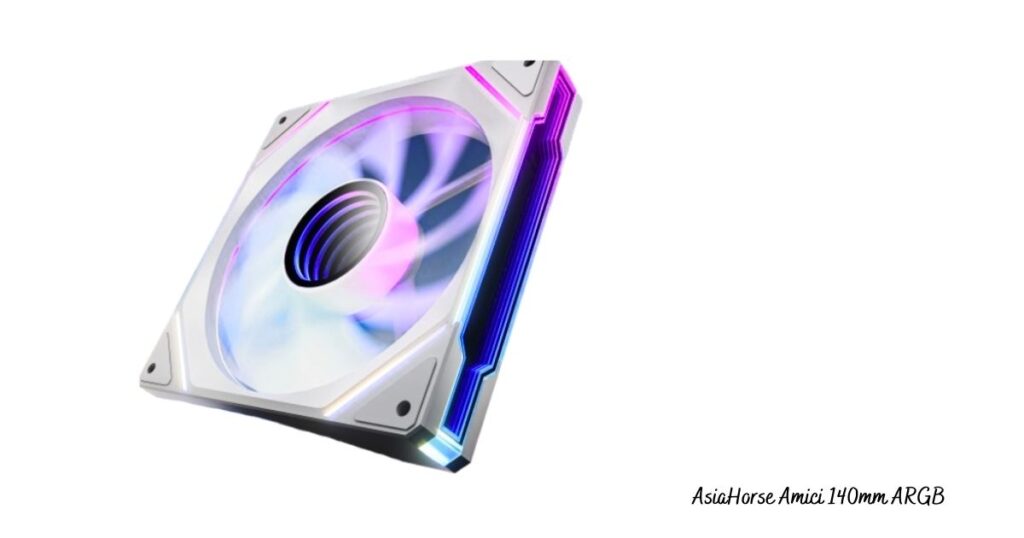
Unbelievable RGB Fans That Are Budget Friendly
In case you are looking for a way to make your computer look attractive without spending much, the AsiaHorse Amici 140mm ARGB fans would be a good option—particularly the multi-pack version. They are excellent fans that will add color and style to your setup without being very expensive.
Key Features:
- Fans + Driver: The bundle includes three fans and a user-friendly driver giving you the power right from the start to control all the RGB lighting easily.
- Loud and Colorful: These fans might be inexpensive, but they surely are bright; thus, they create a fantastic view of your PC with their colors.
- RGB Your Manner: The fans give you the power to decide on the lighting style—you may desire colors changing or a single solid glow. You can alter your ambiance any time you want.
Pros:
- Best Value Multi-Pack: This fan pack is a great option for those who wish to not only cool but also upgrade their whole PC with fancy RGB lighting at a very little cost.
- Controller Included: The fact that the pack comes with its controller means that you don’t need a motherboard with RGB headers. It’s a very simple, plug-and-play setup where the installation is made super easy.
- Bright, Vibrant Lighting: Even though it is not very expensive, these fans provide surprising brightness and vivid colors which are noticeable in every build.
Cons:
- Basic RGB Effects: Despite the brightness of the lighting, the effects remain quite simple in contrast to the premium fans that allow more complex animations and customization.
The AsiaHorse Amici 140mm ARGB is a perfect option for someone who is in search of an inexpensive RGB fan package that includes all necessary components and is ready for use. This set gives you solid performance and exceptional value if you want to have several fans without paying the price of the premium ones.
8. Thermaltake Riing Quad RGB Series
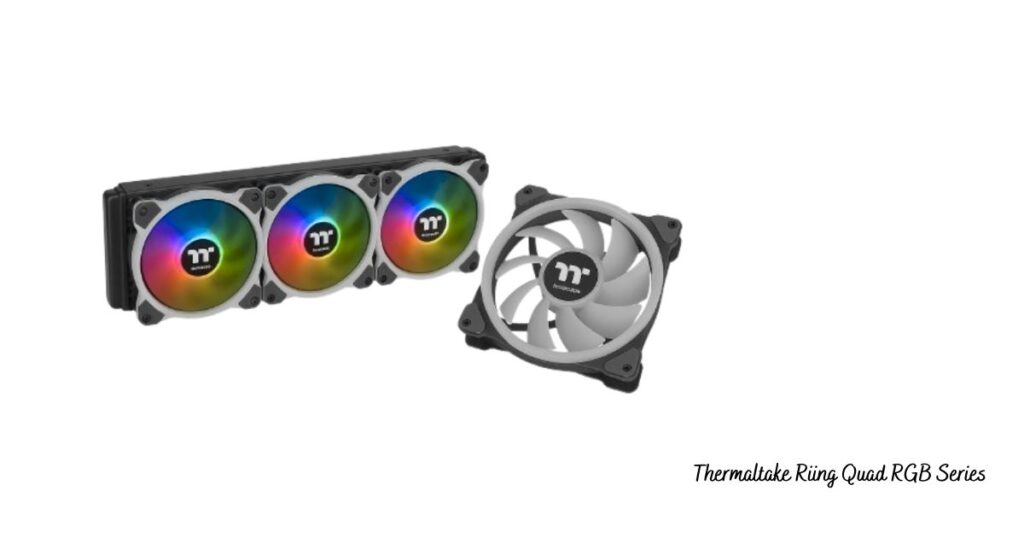
Best RGB Lighting Effects
In case RGB lighting is your primary concern, the Thermaltake Riing Quad RGB Series won’t easily be surpassed. These fans are just a fantasy for computer builders who want incredible visual effects plus elegant lighting that apart from their setup, can also make the whole room a beautiful masterpiece.
Key Features:
- Quad RGB Lighting: In every fan, the Ring Quad has a total of four separate RGB rings, which are the main features. The overall presentation is powerful and fashionable to the point of being impossible to rival. The light coming out of the computer is soft, bright, and evenly spread, which makes the computer look magnificent no matter where you see it from.
- Software Control: Thermaltake’s software tool provides you with a handy option to switch the lighting effects, set the fan speeds, and even design your own animations or color patterns. It is complete customizability that allows you to personalize your setup in a way that suits you best.
- High-Quality Build: These fans are designed to be sturdy and provide reliable cooling performance along with good looks.They’re a great pick for anyone who wants strong cooling performance without giving up eye-catching RGB style.
Pros:
- Stunning RGB Effects: The lighting of the fans with a total of four RGB rings on each one is simply stunning. The software is also very much a part of this, as it allows you to make colorful animations and effects that are really attractive and that will easily liven up your computer setup.
- Excellent Software Control: The TT RGB Plus software from Thermaltake gives you the power to create complex lighting profiles and synchronize everything with other parts that are compatible, thus making your entire system look perfect in terms of coordination.
- Smooth, Even Lighting: The light produced by the Riing Quad is also reported to be nonexistent in terms of spots and unevenness—the only thing one would see is pure, uniform lighting all around.
Cons:
- Pricey Option: This can be considered as an RGB fan with all the bells and whistles, and that is why its price might seem a bit steep. It is not the most friendly option for a tight budget especially in case you are only after cooling and lighting as your requirements.
It will be difficult to find more fans that demonstrate such amazing RGB effects than the Thermaltake Riing Quad RGB Series. If you are curating a showcase or a high-performance rig and do not mind spending more money on a premium look, then this fan is your definite choice.
How to Select the Proper RGB Case Fan (Guide for Purchasing 2026)
When it comes to choosing the right RGB case fan for your system, there are numerous factors that influence performance and aesthetics and hence must be taken into consideration. The perfect fan will be a compromise between airflow, noise, quality of construction, and light effects plus it will still be within your budget. Our tips for selecting in 2026 are as follows:
1. Dimensions
- 120mm: This is the most widely used fan size and is suitable for all types of applications in almost all cases. It’s the perfect choice for a compromise system where both space and throughput are critical.
- 140mm: These fans are bigger, thus providing better air circulation at lower RPMs, which means they are quiet. They are suitable for large cases or for the users who want to cool their systems greatly but at the same time limit the noise level to a minimum.
2. Airflow vs Static Pressure
- High Airflow Fans are intended primarily for general air intake and exhaust applications. They are the most effective in situations where there is little resistance to airflow and are thus suitable for use in completely open spaces.
- Static Pressure Fans, on the contrary, are specified for the application of air through narrow areas, such as radiator fins or dust filters. In case you are going to fit your fans on a radiator or need to cool a case with a high restriction, then static pressure fans should be your choice.
3. Noise Levels
If you want a quiet build, find the fans that work at 28 dBA at most. Fans whose noise levels are rated at or below this point will give cooling and will not add any noise that nobody wants. This is especially crucial for the ones who put quiet working places or sleep-friendly PCs first.
4. Lighting Sync Compatibility
To avoid horrid setups, make sure that your fans are compatible with the RGB software of your motherboard. Some of the most commonly used RGB ecosystems are:
- Asus Aura Sync
- MSI Mystic Light
- Gigabyte RGB Fusion
- Corsair iCUE
- NZXT CAM
If you are already using a certain motherboard or controller, look for fans that will work perfectly with your existing hardware in terms of syncing.
5. Daisy Chain Support
Daisy-chaining is a feature that could not only connect numerous fans with a single cable but also enhance the organization of cables by making the installation very easy. Though, in most cases, the complexity of the wiring is better handled through this method, especially in a build with numerous fans; thus, less time and energy are needed for cable management.
6. Warranty & Durability
Fans with top-notch bearings (e.g., magnetic or fluid dynamic bearings) should always be selected. These bearings not only produce less noise but also have a longer lifespan compared to cheap, regular ones. Magnetic bearings, in particular, lower the friction which results in a longer life span and noiseless operation of the fan. Check if your fans come with a generous warranty, so you are protected in case they fail before their time.
Conclusion
RGB case fans have come a long way from being mere decoration. Now they are crucial for cooling, system longevity, and personalization. In 2026, fans are smarter, quieter, and better integrated with ARGB Fans, Fan hubs, and modern PC Cases — including those with tempered glass.
Whether you need the incredible lighting of the Thermaltake Riing Quad RGB series, the value of AsiaHorse Amici, or the superior cooling of the Corsair QX120, there’s an option for every build type.
If you’re using heavy CPU coolers, Liquid cooling, or high-end graphics card setups, choose high-performance fans like the be quiet! Light Wings or Corsair QX120.
For budget-friendly builds in a mid-tower PC case, Cooler Master and AsiaHorse options offer superb value.
Ultimately, the best RGB fan is the one that supports your preferred Cooling Method, matches your Motherboard support, enhances airflow over your Fan Blade components, and elevates your overall PC experience.